Refurbished iPhone Deals: What to Check Before Buying
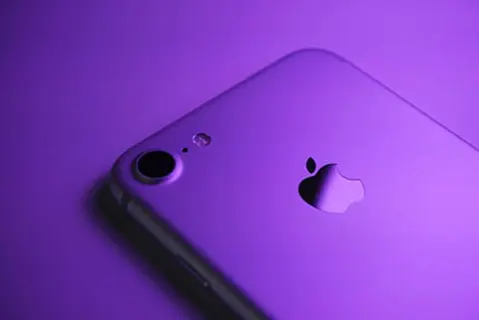
Compare returns, battery health, parts history, and lock status before buying a refurbished iPhone.
A refurbished iPhone is a preowned phone that has been inspected, cleaned, and repaired for resale. Before you pay, check warranty, return window, battery health, parts history, and lock status. Prices and condition vary by seller.
Use a short checklist to compare what is included, what you can return, and whether the phone will activate on your carrier.
Verification note: Program terms and availability can change. This page was checked against linked sources on November 05, 2026.
What Certified Refurbished Usually Includes
Apple says Certified Refurbished iOS devices ship with a new battery and new outer shell, plus genuine parts, cleaning, and inspection as needed Apple's refurbishment overview. The same page lists accessories, a new white box, and free shipping and returns. Use that list as a comparison point.
Ask other sellers what parts they replace, what cleaning and testing they do, and what comes in the box.
What to Ask the Seller Before You Pay
Apple's preowned iPhone guide tells buyers to confirm the return window, return reasons and process, and the seller's certification and inspection steps, and it warns not to buy a phone showing iPhone Locked to Owner Apple's preowned iPhone guide. That one screen can block erasing, sign-out, and reactivation. Ask for clear written answers you can save:
- How many days do I have to return the phone?
- What reasons qualify, who pays shipping, and how do refunds work?
- What inspection, cleaning, and certification steps did you complete?
- Is Activation Lock off and has the prior owner's data been erased?
How to Check Parts History
Apple Support explains that on iOS 15.2 or later, Settings > General > About shows Parts and Service History with Genuine, Used, Unknown, or Unverified labels, with covered parts varying by model Apple's parts history support article. The labels help you see if a screen, battery, or camera was replaced. Ask the seller for clear photos of that screen.
A replaced part is not always bad, but it should match the price and description.
Will It Work With Your Carrier
Confirm the phone is unlocked for your carrier before you pay. Ask the seller which carriers it supports and whether it has any SIM limits. If you can test in person, bring your SIM or eSIM plan details.
Make calls, send texts, and try mobile data before the return window ends.
What Battery Health Tells You
Apple says iPhone 14 and earlier batteries are designed to retain 80% capacity at 500 cycles and iPhone 15 batteries at 1,000 cycles, so treat under-80% Maximum Capacity as needing service or a lower price Apple's battery service page. Capacity drops with use and age. Ask for a Battery Health screenshot showing Maximum Capacity.
If capacity is low or service is suggested, compare replacement cost against a phone with a newer battery.