How to Spot a Fake Venmo Gift Payment Scam
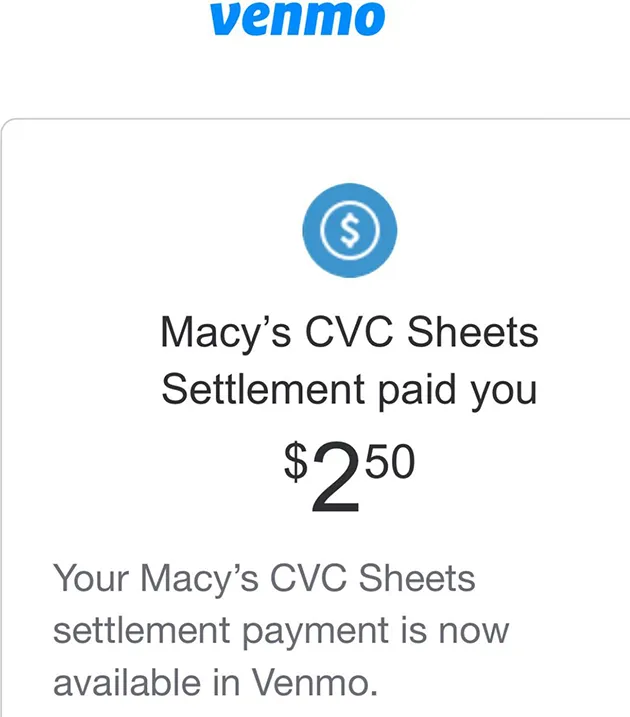
Learn the warning signs that separate real Venmo money from fake gift claims and risky refund requests.
A fake Venmo gift payment is a message claiming someone sent you money, but no money reaches your Venmo balance or feed. Spot it by opening your own app and checking your balance; if the gift is not there, treat screenshots, texts, and emails as unproven. Venmo is a mobile payment app where money moves between personal accounts.
People expecting gifts, prizes, sales, or surprise cash are more likely to trust a convincing preview instead of checking the account itself.
Verification note: Program terms and availability can change. This page was checked against linked sources on November 23, 2026.
What does the prize message look like?
A common version is a text or email saying you won money from Venmo. It includes a link and asks you to sign in or enter account information, according to the Venmo Help Center article on common scams Venmo's common-scams help article. Look closely at the sender and link destination.
Venmo says it only emails from addresses ending in venmo.com, and legitimate email links go only to venmo.com addresses. Venmo also says it never asks for your password, verification code, or one-time code by email, text, or phone. The same rule applies to remote access to your device and to a payment supposedly needed to verify your account.
Why is your balance the only proof?
The money is not real until it appears in your own Venmo balance and feed. Venmo says there is no feature that holds a payment until you ship an item or upload tracking information, as explained in Venmo's scams and safety guide. That detail matters for sellers and gift recipients.
A buyer may send a screenshot, a tracking request, or a copy of a payment email to create pressure. Do not ship, send a gift card, transfer crypto, or release goods based on those images. Open the Venmo app yourself, check the balance and transaction feed, and pause when the payment is missing.
What are the accidental-payment and overpayment twists?
In one twist, a stranger sends money, says it was a mistake, and urges fast repayment, often to a different account. Venmo says you are responsible for money you forward and asks users to decline the return request and allow support to reverse the transfer. In another twist tied to marketplace sales, a buyer sends more than the agreed price.
The buyer then asks you to return the extra amount before the first payment has proven real. That first payment can later be reversed or reported as unauthorized. You could then lose both the item and the refund you sent.
What should you do when targeted?
Save the details, then report the incident. Forward suspicious emails to [email protected] and delete the original, then report the loss at ReportFraud.ftc.gov and to the FBI's IC3. Fast reporting helps, but the FTC notes that app payments are like cash and "very hard to get back," as stated in the FTC's payment-app consumer advice.
- Do not click the link, sign in through the message, or share a login code.
- Check your Venmo balance and feed in the app you open yourself.
- Do not send return money to the sender or to another account they name.
- Contact Venmo in the app through Me > Settings > Get Help > Chat With Us.