How to Spot a Fake Charity Text Message or Email
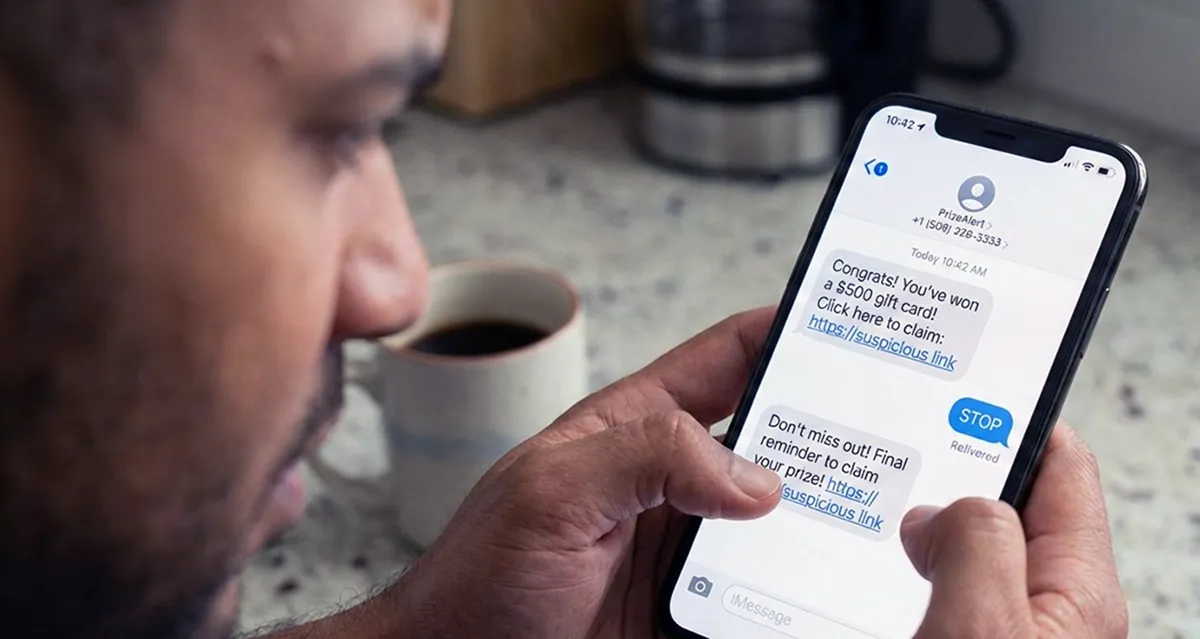
Learn warning signs, safe link habits, and quick checks that help protect your donation from fakes.
A fake charity text or email often pressures you to give right away and limits payment to gift card, wire transfer, cryptocurrency, payment app, or cash. Check the sender address, hover over links to see the real web address, and do not click links or open attachments in messages you did not ask for. Phishing means a fake message designed to steal money or personal information.
The Federal Trade Commission notes that fakes may copy a known charity's name and look and often claim to help victims of weather emergencies or natural disasters. The FBI reported over 4,500 complaints and about $96 million in losses in 2024 tied to fraudulent charities, crowdfunding, and disaster-relief campaigns.
Verification note: Program terms and availability can change. This page was checked against linked sources on November 03, 2026.
What warning signs point to a fake appeal?
Fake appeals borrow trust. They may use a name close to a known charity, copy logos and wording, and arrive right after a storm, fire, or other disaster. Urgent phrases like act now, donate immediately, or time is running out are common pressure tactics.
Payment demands are a strong signal. The Federal Trade Commission says a request that demands quick giving and allows only gift card, wire transfer, cryptocurrency, payment app, or cash is likely a charity misuse, described in guidance on how to avoid a scam. Real charities often accept several common methods such as check or credit card.
- Urgent call to donate now with no time to check
- Only gift card, wire, crypto, payment app, or cash allowed
- Name looks like a known charity but the wording feels off
- Message arrived out of the blue after a disaster
- Sender address or phone number does not match the charity
How should you handle links and attachments?
Pause before you tap, click, or reply. The FBI advises never responding to, clicking links in, or opening attachments from unsolicited charity emails or texts because they may carry viruses, explained in tips on avoiding fraudulent charitable schemes. Go to the charity's known website yourself by typing an address you trust.
The Cybersecurity and Infrastructure Security Agency notes that charity phishing often uses urgent language, links that hide a different address, mismatched sender details, and unexpected attachments, described in guidance on avoiding social engineering and phishing. On a computer, hover over a link to preview the real address before clicking. On a phone, press and hold to preview where possible, and do not download unexpected files.
How can you check if a charity is real?
Use the charity's exact name or EIN in the Internal Revenue Service search tool, which shows tax-exempt status, deductibility eligibility, and filings, available through the Tax Exempt Organization Search tool. Type the name carefully because fakes may change one word or letter. Keep the EIN from the charity's known site if you can find it.
A listing has limits. The Federal Trade Commission notes that tax status does not show whether a charity spends well or works well. Search the charity name plus complaint, review, rating, or scam, then check BBB Wise Giving Alliance, Charity Navigator, CharityWatch, or Candid for more background.
What should you do with a suspect text or email?
Do not reply, click, or forward it to friends. Save the sender details and the message text if your phone makes that easy. Then delete the message from your inbox after reporting.
The Federal Communications Commission guidance points donors to forward suspect texts to 7726, which spells SPAM, then report to the FTC at ReportFraud.ftc.gov, to the FCC at consumercomplaints.fcc.gov, and internet charity fraud to the FBI at ic3.gov. Reporting helps carriers and investigators track patterns tied to disaster appeals.