How to Return Buy Now Pay Later Purchases Correctly
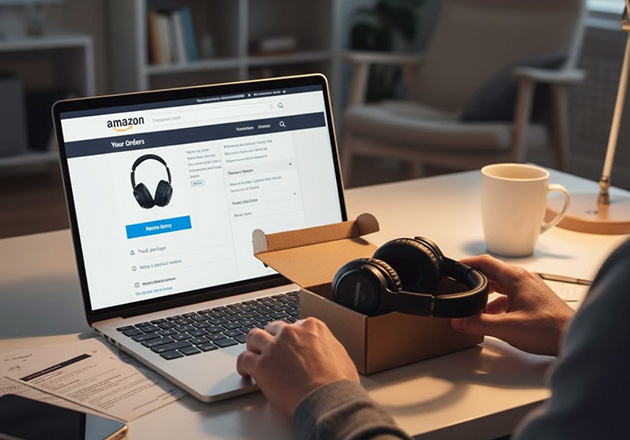
Report BNPL returns in the app, save proof, and keep paying until refunds adjust your balance.
To return a Buy Now Pay Later (BNPL) purchase correctly, start with the retailer's return policy and complete the return as directed. Then notify your BNPL lender in its app so it can pause payments and process the refund. BNPL splits a purchase into short-term installments, so the process involves both the store and the lender.
Experian explains that refunds go to the lender first, which then adjusts later payments and returns amounts already paid, as described in Experian's explanation of BNPL returns.
Verification note: Program terms and availability can change. This page was checked against linked sources on November 05, 2026.
Start with the store return
Use the retailer's normal return process first. Request approval, ship or bring back the item, and keep tracking numbers and receipts. The retailer decides whether to accept the return and sends the refund to your BNPL lender, not to you directly.
Without that store confirmation, the lender cannot close the loan balance.
Report the return in your BNPL app
Open your lender's app as soon as you start the return. Klarna directs U.S. shoppers to follow store instructions, then tap Report return in the app to pause payments while the store registers the return, according to [Klarna's U.S.
return help](https://www.klarna.com/us/help/delivery-and-returns/how-do-i-return-my-order/). Afterpay gives similar direction to follow retailer policy and file a return under Orders in the app. Take these steps each time:
- Start the store return and save tracking and photos of proof.
- Report the return in the lender app and turn on notifications.
- Contact the lender if the store has not registered the return after several weeks.
How payments and refunds adjust
Afterpay moves the next payment date while it processes a return, but a return filed within 24 hours of the next installment may not stop that charge, as explained in Afterpay's refund and return help. Once the retailer confirms receipt, Afterpay adjusts or cancels remaining payments and sends money owed back to the original card. Affirm follows a stricter confirmation rule.
Affirm states it cannot issue a refund without merchant confirmation and only when the merchant processes it within 120 days of purchase, as detailed in Affirm's refund documentation. It credits paid principal to the original payment method within 3-10 business days, not including interest already paid.
Keep paying until the return clears
Keep making scheduled payments until the return or dispute is resolved. The repayment agreement is with the lender, not the retailer, so stopping early can trigger late fees or balance issues. The Consumer Financial Protection Bureau treats BNPL lenders like credit-card providers for disputes, requiring investigation, a pause on payment demands during review, and credit for returned purchases.
Save return proof, watch app updates, and note that store credit like a gift card does not satisfy a Klarna balance.