How to Find Free Wi-Fi at Airports During Holiday Travel
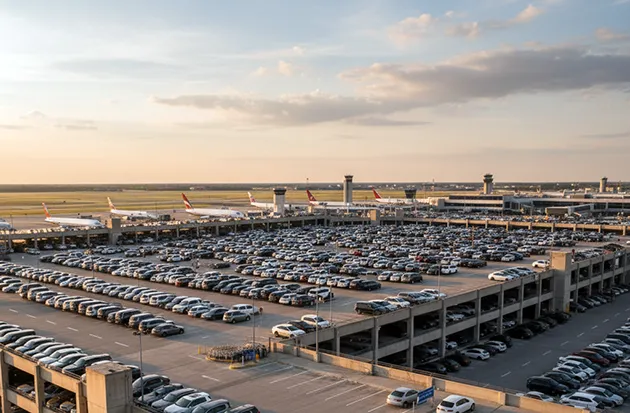
Join the correct airport network name, force the sign-in portal open with a plain http page, and know which tasks to keep off public Wi-Fi.
Free Wi-Fi is available at every major U.S. airport, and finding it comes down to joining the right network name and then forcing the sign-in page to load. Open your device's Wi-Fi list, select the airport's official free network, open a browser, and load a plain `http://` page so the login portal appears.
Holiday travel makes that small sequence matter more than usual. Terminals are crowded, cellular data slows under load, and a queue of travelers behind you at the gate is a bad time to discover that the network you joined was never meant to carry internet traffic at all.
Verification note: Program terms and availability can change. This page was checked against linked sources on November 20, 2026.
Join the right network name, not the closest one
The network name — the SSID, the label your phone shows in its Wi-Fi list — is the single thing most travelers get wrong. Airports often broadcast several networks, and only some of them reach the internet. Los Angeles International is the clearest example.
The official LAX Wi-Fi page names the free network "LAX Free Wi-Fi" and warns that the separate "LAX Mobile Passport Network" exists only for the customs app and does not allow general browsing. Join that second one and you have a connected icon with no internet behind it. Names also change between visits.
Dallas/Fort Worth currently tells travelers to pick "DFW Public 5G Wi-Fi" or "DFW Public 6E Wi-Fi" and accept the terms, with service provided by AT&T; an earlier version of the same DFW page named "DFW Airport Complimentary WiFi." Denver publishes three at once — "DEN Airport Free WiFi," "DEN Airport Free WiFi 2.4G" and "DEN FREE WIFI 6E" — per its Wi-Fi and technology page.
Why your connection looks dead until you open a plain http page
Airport Wi-Fi uses a captive portal: a sign-in page the network pushes at your browser before it lets traffic through. Modern sites load over HTTPS, which the portal cannot intercept, so a browser that opens straight to a secure homepage just spins. Chicago O'Hare spells out the fix.
The Chicago Department of Aviation's technology page instructs travelers to select "Boingo Hotspot" or "Free_ORD_Wi-Fi," then load a non-HTTPS page so the portal appears, and choose "Watch Ad to Connect" under ORD Free Unlimited Wi-Fi. Keep a plain http address handy for this — `http://neverssl.com` or `http://example.com` will do. If nothing loads at all, Denver's own advice is the unglamorous one that usually works: turn the device's wireless off and back on.
What the sign-in step actually asks of you
Free does not always mean instant. Some airports put a form between you and the internet, and a few put a time limit on the free tier. The Port Authority's own networks show how different a transit hub can be.
Its Midtown Bus Terminal network, "Free PABusTerminal WiFi," caps free access at the first 30 minutes — so a layover habit built at the airports does not transfer to the bus terminal across town.
- Atlanta: per Hartsfield-Jackson's amenities page, select "ATL Free Wi-Fi," open a browser, and complete a sign-in form agreeing to the terms.
- O'Hare: watch a short ad to unlock the unlimited free tier.
- New York area: the Port Authority offers free unlimited Wi-Fi at JFK, LaGuardia, Newark and Stewart, with per-airport names such as "Free LGA Wi-Fi" and a free-unlimited option on the portal.
- Dallas/Fort Worth: accept the terms, no account needed.
How a wrong network name becomes a security problem
Guessing an SSID is how travelers end up on look-alike hotspots. Seattle-Tacoma's free network is "SEA-FREE-WIFI," per the Port of Seattle, but third-party guides still circulate the older "SEATAC-FREE-WIFI" name — and a remembered name that no longer exists is exactly the gap an impostor network fills. Check the airport's own website or the signage at your gate for the current name.
If two similar names appear in your list and only one matches the official page, the mismatch is the answer.
What to do — and not do — once you are online
Public wireless is fine for some things and a poor choice for others. CISA's travel guidance advises against shopping, banking or sensitive work over public wireless networks, and recommends disabling auto-connect and file sharing before you travel — see its Cybersecurity While Traveling guidance. Two more points from federal consumer guidance sharpen that.
The Federal Trade Commission notes that some sites encrypt only the sign-in page, so check for "https" on every page of a session rather than only at login, and do not email financial information over a public network. The FCC recommends a VPN — which encrypts traffic between your device and the internet — for anyone who uses public hotspots regularly, and notes that a cellular connection or personal hotspot is generally safer than open Wi-Fi for sensitive transactions. A practical division for a holiday layover: use the airport network for boarding passes, maps, messaging and streaming.
Switch to cellular data or a personal hotspot for anything involving an account login, a card number or work files.
Frequently Asked Questions
My phone says "Connected, no internet" on the airport network. What now?
You have almost certainly not cleared the captive portal. Open a browser and load a plain http address so the sign-in page can appear; if nothing loads, toggle Wi-Fi off and back on, which is Denver International's own troubleshooting advice.
Is there a time limit on free airport Wi-Fi?
At the airports above, no — the Port Authority's four airports and O'Hare both describe free unlimited access. Limits are more common at other transit hubs: the Port Authority's Midtown Bus Terminal network gives the first 30 minutes free.
Do I need an account or an app to get online?
Usually not, but some airports require a step. Atlanta asks you to complete a sign-in form agreeing to the terms, and O'Hare asks you to watch an ad. Dallas/Fort Worth only requires accepting the terms.
Is a VPN worth installing just for a trip?
The FCC recommends one for anyone who regularly uses public hotspots, because it encrypts traffic between your device and the internet. If you rarely use airport Wi-Fi, using your own cellular connection for sensitive tasks accomplishes much of the same thing.