Cyber Monday Checkout Errors: Why Your Payment Keeps Failing
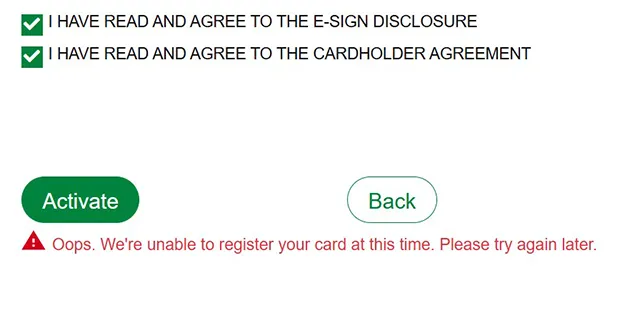
Fix Cyber Monday payment failures fast with typo checks, balance checks, and bank verification steps.
Your Cyber Monday payment usually fails because of a card typo, low available credit, or a bank block on a large order. Stores also see vague bank refusals and heavy evening traffic that can turn small entry mistakes into failed checkouts. Cyber Monday 2024 set a heavy baseline for those errors, with Adobe reporting $13.3 billion in U.S.
online sales and a peak of $15.8 million per minute from 8-10 p.m., with 57% via mobile, in Adobe's Cyber Monday recap. That mix means crowded gateways and small phone keyboards at the same time. A calm recheck often fixes it.
Verification note: Program terms and availability can change. This page was checked against linked sources on November 06, 2026.
Did you mistype something?
A wrong card number, CVC, or expiry date causes an automated issuer decline. Stripe says shoppers must then re-enter details or try another card, according to Stripe's explanation of card declines. Check each field digit by digit before you tap pay again.
Mobile entry makes this more likely. A long card number can hide one swapped digit, and an old saved expiry date can fail after a new card arrives. Compare the form against the physical card, not memory.
Also confirm the billing postcode matches the bank record. That postcode plus CVC gives the issuer more matching signals. Do not keep resubmitting the same wrong details.
Why would a valid card still decline?
Low funds or low available credit is a common cause. The issuer refuses the charge when the basket total exceeds what is available. A smaller basket, a different card, or a store buy-now-pay-later choice can reduce these holiday failures.
Large orders or several quick orders can also trip a bank fraud model. The issuer may block a legitimate Cyber Monday payment until you confirm identity with the bank. Contact the number on the back of the card if a charge looks correct but keeps failing.
Many refusals arrive as generic messages such as code 05, "do not honor," with no specific cause. Stripe notes that issuers explain the exact reason only to the cardholder, not the merchant, as described in Stripe's guide to do-not-honor refusals. Call your issuer for the precise reason.
What is that extra password or code screen?
3D Secure is an extra issuer check added to online card payment. It asks for more proof that you own the card before the store can collect money. Stores collect CVC, billing postcode, and 3D Secure data to lower fraud-triggered declines.
Visa's version can open a separate window asking for an issuer-set password or SMS one-time passcode. Visa says the issuer must successfully validate that code before the transaction completes, as explained in Visa's secure online shopping guide. Keep the checkout tab open while you fetch the code.
A failed 3D Secure attempt may show only a numeric reason code. Under newer rules, that reason can be generic or Visa- and Mastercard-specific. Leave the window open, check phone signal, then request one fresh code.
How can you get the order through?
Pause after two failures and fix the likely trigger. Repeated rapid tries can look riskier to automated controls. Use this quick reset: Save proof as you go.
Take a screenshot of the error code and time. If the item is low stock, keep it in the cart while you verify with the bank.
- Recheck number, expiry, CVC, billing postcode, and name spelling.
- Check available balance or credit limit, including tax and shipping.
- Approve the charge in your bank app, then complete any SMS code promptly.
- Try one card on one device, or switch from mobile data to stable Wi-Fi.
- Call the issuer if the message stays vague, then retry once.