Cyber Monday 2026: Laptop Deal Red Flags to Check First
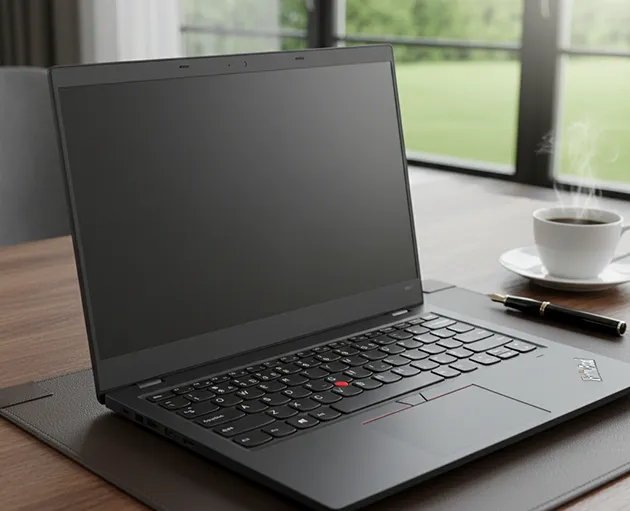
Check seller identity, real discounts, daily-use specs, and return terms before paying for a Cyber Monday laptop.
Check seller identity, price history, listed specs, and return and warranty terms first before you buy a Cyber Monday 2026 laptop deal. Cyber Monday 2026 falls on Monday, Nov. 30, so early offers can be compared against that known peak day, according to timeanddate in its Cyber Monday date listing.
A red flag is a warning sign in the listing or checkout that needs a check. Small checks take minutes and can prevent a wrong item, a missing delivery, or hardware that feels slow on day one.
Verification note: Program terms and availability can change. This page was checked against linked sources on November 02, 2026.
Is this seller who you think?
Start with the store name, web address, and contact options. The Federal Trade Commission warns that impersonation ads offer brand-name goods at unusually low prices and then send counterfeits, wrong items, or nothing, described in its holiday shopping alert. Look for mismatched branding, fresh domains, and social-only contact.
Search the exact model number on the maker's own site and at two unrelated stores.
- price far below other sellers for the same exact model
- store name with extra letters, misspellings, or a new domain
- no street address, phone number, or clear return process
- pressure to pay by wire, gift card, or direct transfer
Is the discount math honest?
Copy the full model number and compare the same configuration, not a similar name. Colors, screen sizes, chips, RAM, and storage can change the price by large amounts. Adobe reported computers peaked at 23% off listed price on Cyber Monday 2025, a useful benchmark for spotting inflated "was" prices, in its record online spending report.
A claim of 60% to 80% off a current model deserves a closer look at price history. Check prior prices, coupons, fees, and shipping dates before you pay. A short-lived doorbuster with added fees may cost more than a smaller, clearer markdown.
Will the specs handle daily work?
Low prices often hide older chips, 4 GB RAM, or small storage. For everyday multitasking Microsoft points to Core i5/i7, Core Ultra 5/7, or Ryzen 5/7 with 8–16 GB RAM, in its laptop buying guide. Read the spec table line by line.
Confirm processor model, RAM amount, drive size and type, screen size, battery claims, and included charger. Ask whether RAM and storage can be upgraded later. A sealed machine with weak base specs is harder to fix after purchase.
How do you pay and what if it goes wrong?
Use a payment method with fraud protections and review statements often. Avoid sellers that push payment outside the checkout or ask for unusual payment types. Save screenshots of the listing, price, specs, delivery date, and return terms.
Track the shipment from the carrier's own site or app. If the box arrives wrong, act fast. Contact the seller, keep packaging and photos, and follow the card or platform dispute steps.
Is that refurbished deal clear?
Refurbished can save money when the condition grade is stated. Look for who tested it, what parts were replaced, battery policy, included accessories, return window, and warranty length. Ask who provides support after delivery.
A maker-backed warranty with a written claims process is easier to use than a vague seller promise. Save the listing, receipt, serial number, and warranty terms before you close the tab.