Best Free Accounting Software for Small Businesses (2026 Edition)
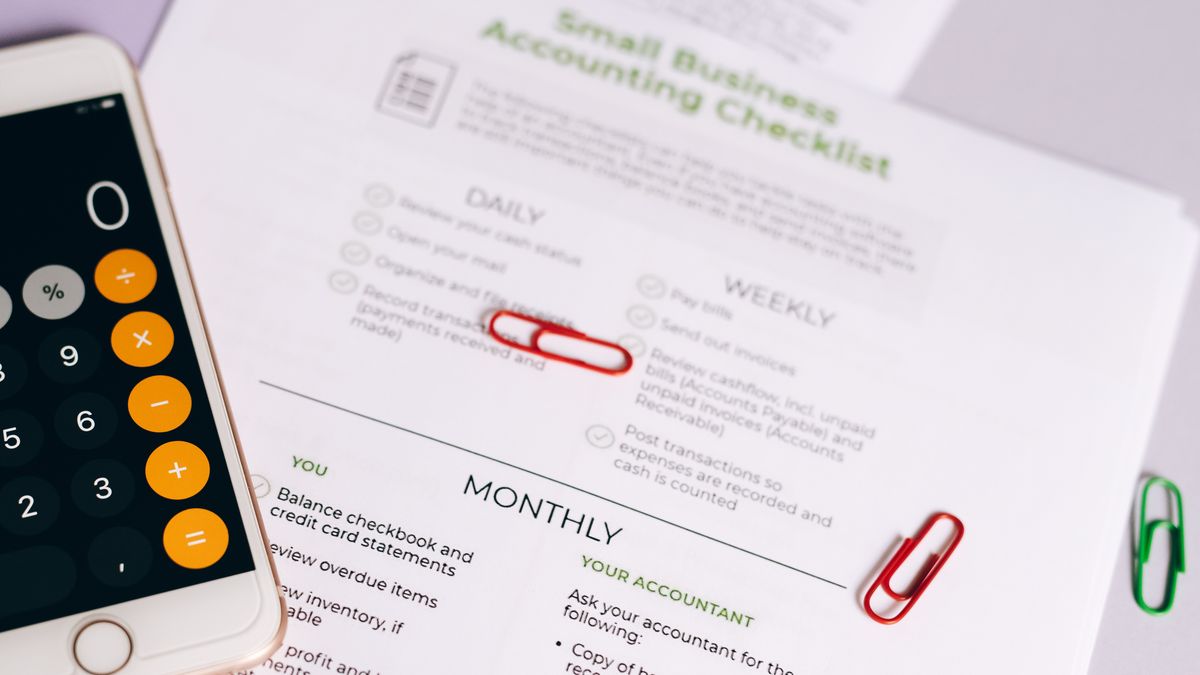
Photo: Leeloo The First / Pexels
Zoho Books Free, Wave, GnuCash, Manager.io, Odoo, ZipBooks, Frappe Books, and the new QuickBooks Free — what each free plan really includes, where the limits are, and which one fits your business. Verified against official pricing pages.
You can run a small business's books in 2026 without paying a monthly subscription — but every free accounting plan draws its line somewhere. Some cap your revenue, some cap your invoices, some make you pay for the bank feed that saves you hours, and some are free only because you install them on your own computer. The right pick depends on which of those limits you can live with.
The short answer: Zoho Books Free is the most complete free cloud plan for a U.S. business earning under $50,000 a year. Wave is the easiest free option with unlimited invoicing if you're in the U.S. or Canada and don't mind entering bank transactions yourself. GnuCash and Manager.io Desktop are genuinely free with no usage caps if you're comfortable with desktop software and a little accounting vocabulary. And yes — QuickBooks now has a free plan, though its limits make it a starting point rather than a long-term home.
We checked every plan below against the vendor's own pricing and help pages on September 18, 2026. Prices and limits change often, so confirm the current terms on the linked official page before you commit your books to any of them.
Quick picks
| Software | Free plan | Main limit | Best for |
|---|---|---|---|
| Zoho Books Free | Cloud, web + mobile | U.S. revenue up to $50K/year; 1 user + 1 accountant; 1,000 invoices/year | Most small U.S. businesses under the revenue cap |
| Wave Starter | Cloud, web + mobile | No automatic bank feeds; U.S. and Canada | Freelancers and service businesses that invoice a lot |
| GnuCash | Open-source desktop | No cloud, no multi-user, no mobile app | Hands-on owners who want full double-entry for $0 |
| Manager.io Desktop | Desktop (Windows, Mac, Linux) | Single-user; multi-user needs a paid edition | Solo owners who want a full feature set offline |
| Odoo (One App Free) | Cloud (Odoo Online) | Free only while you use one app | Teams that want unlimited users on accounting alone |
| ZipBooks Starter | Cloud | 1 bank connection; basic reports | Simple invoicing-first businesses |
| Frappe Books | Open-source desktop | Local-only data; smaller ecosystem | Tinkerers who want modern, offline, open-source books |
| QuickBooks Free | Cloud, web | 2 invoices and 2 receipt uploads per month; no accountant access | Trying QuickBooks before you need a paid plan |
What counts as "free" in this guide
We only included plans you can use indefinitely at $0 — not free trials that convert to a subscription. To make the list, a plan had to let you record income and expenses and produce basic reports without a payment card on file. Where a free plan leaves out something most businesses end up needing (bank feeds, an accountant login, double-entry), we say so plainly, because that's usually where the upgrade pressure comes from.
Two costs are worth separating from the software price. Payment processing fees apply whenever customers pay you online by card or bank transfer, even on "free" plans. And payroll is a paid add-on almost everywhere. Neither is a trick — just budget for them.
Zoho Books Free — best overall free cloud plan (under $50K revenue)
Zoho Books' free plan is the most generous cloud plan on this list. According to Zoho's U.S. pricing page, it's available for businesses with revenue up to $50,000 per financial year and includes 1 user plus 1 accountant, up to 1,000 invoices and 1,000 expenses a year, quotes, journals, bank reconciliation, mileage tracking, receipt autoscans, online payments, and 50+ reports.
The catch: once your revenue passes the cap, you move to a paid plan (Standard is listed at $20/month, or $15/month billed annually). Support on the free plan is email-only. Zoho sets the revenue cap separately for each country — India's free edition, for example, uses a ₹25 lakh cap — so if you're outside the U.S., check your regional pricing page.
Best for: a U.S. freelancer or small business that wants real cloud accounting, including an accountant login, and expects to stay under $50K for now.
Wave Starter — best free option for unlimited invoicing
Wave's Starter plan lets you "create unlimited estimates, invoices, bills, and bookkeeping records," with a dashboard, basic reporting, and a mobile app, at no monthly cost. It's built for the U.S. and Canada.
The catch: automatic import and categorization of bank and credit card transactions is part of Wave Pro ($19/month in the U.S., or $190/year), not Starter — on the free plan, plan on entering or uploading transactions yourself. If customers pay invoices by card, Wave's listed Starter rate is 2.9% + $0.60 per transaction (3.4% + $0.60 for Amex), and bank payments are 1% with a $1 minimum. Receipt scanning and payroll are paid add-ons.
Best for: service businesses that send lots of invoices and don't mind a weekly bookkeeping session instead of an automatic bank feed.
GnuCash — best truly free, no-limits desktop accounting
GnuCash is free, open-source (GPL) double-entry accounting software for Windows, macOS, and Linux. The current release is 5.16. There's no subscription, no invoice cap, and no revenue limit — it handles invoicing, bills, customers and vendors, and standard financial reports.
The catch: it's desktop-only, with no official mobile app, no built-in cloud sync, and no multi-user access. The interface assumes you understand accounts and double-entry, so there's a learning curve. You're also responsible for your own backups.
Best for: owners (or their bookkeeper) who are comfortable with accounting concepts and want complete, permanent control at $0.
Manager.io Desktop — best full-featured free desktop app
Manager.io's Desktop edition is free for Windows, Mac, and Linux, and the company describes it as having "no time limits, no usage limits, no ads." It's a full accounting package — invoicing, bills, bank accounts, inventory, and reporting — that runs on your own computer.
The catch: Desktop is single-user. If you need several people in the books at once or access from anywhere, Manager.io's Cloud or Server editions are paid.
Best for: a solo owner who wants more features than GnuCash with a friendlier layout, and doesn't need cloud access.
Odoo "One App Free" — best free plan for multiple users
Odoo's pricing FAQ offers one app free, forever, for unlimited users on its hosted Odoo Online service — and Accounting can be that one app (along with anything it depends on). That's unusual: most free plans limit you to one login.
The catch: the moment you install a second app, every user moves to a paid plan (Standard is listed at US$31.10 per user per month billed yearly). Odoo is also a large business suite, so setup takes more effort than a simple invoicing tool.
Best for: a small team that needs several people in the accounting system and is disciplined about using only that one app.
ZipBooks Starter — simple free invoicing and bookkeeping
ZipBooks still offers a free Starter plan; its help center says Starter plans "are free forever." According to ZipBooks' pricing page, Starter includes unlimited invoices, customers, and vendors, payments through Square or PayPal, basic reports, and one bank account connection.
The catch: one bank connection and basic reporting will feel tight once you have a second account or need deeper reports. Paid plans start at $15/month.
Best for: a very simple business with a single business bank account.
Frappe Books — modern, open-source, offline
Frappe Books is free, open-source (AGPL) desktop accounting with no paid tier. It covers invoicing, payments, and reports, works offline, and stores your data locally on your computer.
The catch: like any local-only tool, backups and multi-device access are up to you, and the community and integrations are smaller than the big cloud products.
Best for: small businesses that want a cleaner, more modern open-source alternative to GnuCash.
QuickBooks Free — new in 2026, but very limited
Intuit now offers QuickBooks Free at $0 per month with no credit card required. The free plan includes 1 user, 1 bank connection, core reports, 2 invoices per month, 2 receipt uploads per month, and 1 contractor. Intuit's FAQ says there's no accountant access, and the mobile app and third-party integrations aren't currently available on the free plan.
The catch: two invoices a month is enough to learn the software, not to run most businesses. Paid QuickBooks plans start at $38/month (Simple Start) at regular pricing, and Intuit has announced price increases for its Essentials, Plus, and Advanced plans on renewals from August 1, 2026.
Best for: someone who knows they'll eventually use QuickBooks (often because their accountant does) and wants to set things up before paying.
Free in name only: what to watch for
- Akaunting is often listed as free accounting software. Its self-hosted Standard edition is free (1 company, 1 user plus 1 accountant, 1,000 invoices), but double-entry accounting is a paid app ($72/year self-hosted), every add-on app is sold separately, and the cloud version has no free tier. It's a fair product — just not a free accounting system in practice.
- Xero and FreshBooks don't have free plans. Xero's U.S. plans start at $25/month; FreshBooks offers a 30-day free trial, then paid plans starting at $23/month (both frequently run introductory discounts). Trials are fine for comparison shopping — just set a reminder before they convert.
- "Free" rarely includes payroll. Wave, QuickBooks, Zoho, and most others charge separately for payroll, and card processing fees apply on every plan.
How to choose in two minutes
- Under $50K revenue and in the U.S.? Start with Zoho Books Free — you get an accountant login and bank reconciliation without paying.
- Send many invoices and don't need bank feeds? Wave Starter.
- Want zero limits and don't need the cloud? GnuCash (more traditional) or Manager.io Desktop (friendlier).
- Need several people in the books? Odoo's one-app plan, as long as accounting is the only app you need.
- Your accountant insists on QuickBooks? Start on QuickBooks Free, then upgrade when you outgrow two invoices a month.
Before you commit your books to a free plan
- Check the export options. Make sure you can export your transactions and reports (CSV or similar) so you can leave later without re-keying a year of data.
- Know the upgrade trigger. Write down what ends your free plan — a revenue cap, an invoice count, a second user, a second app — so it doesn't surprise you mid-year.
- Back up desktop software. With GnuCash, Manager.io Desktop, and Frappe Books, your data lives on your computer. Keep an off-device backup.
- Ask your tax preparer. A two-minute question about which formats and reports they need at tax time can save hours later.
- Beware look-alike "free accounting" offers that ask for payment or bank credentials outside the vendor's official site. Download or sign up only from the official domains linked above.
Frequently asked questions
Is there any completely free accounting software with no limits?
GnuCash and Frappe Books are open-source with no paid tier, and Manager.io's Desktop edition says it has no time or usage limits. The trade-off is that all three run on your own computer rather than in the cloud, and Manager.io Desktop is single-user.
Does QuickBooks have a free version in 2026?
Yes. QuickBooks Free costs $0 per month, but it's limited to 1 user, 2 invoices and 2 receipt uploads per month, and 1 bank connection, with no accountant access.
Is Wave still free?
Wave's Starter plan is still free for unlimited invoices, estimates, bills, and bookkeeping records. Automatic bank feeds, receipt scanning, and payroll are paid, and card payments carry processing fees.
What's the best free accounting software with an accountant login?
Zoho Books Free includes one accountant user in addition to you, as long as your revenue stays under the regional cap ($50,000 per financial year in the U.S.).
Can I switch later without losing my data?
Usually, yes — most of these tools export transactions and reports. Test an export in your first month so you know it works before you depend on it.
How we researched this: we read each vendor's current pricing, plan-comparison, and help pages on September 18, 2026, and included only plans usable indefinitely at no cost. Plans change often — the vendor's official page is always the final word.